vector.ma in Claude and ChatGPT: what the MCP server changes
Connect mcp.vector.ma to Claude or ChatGPT to search Moroccan vectors from a chat, and why it matters for the designers who publish them.
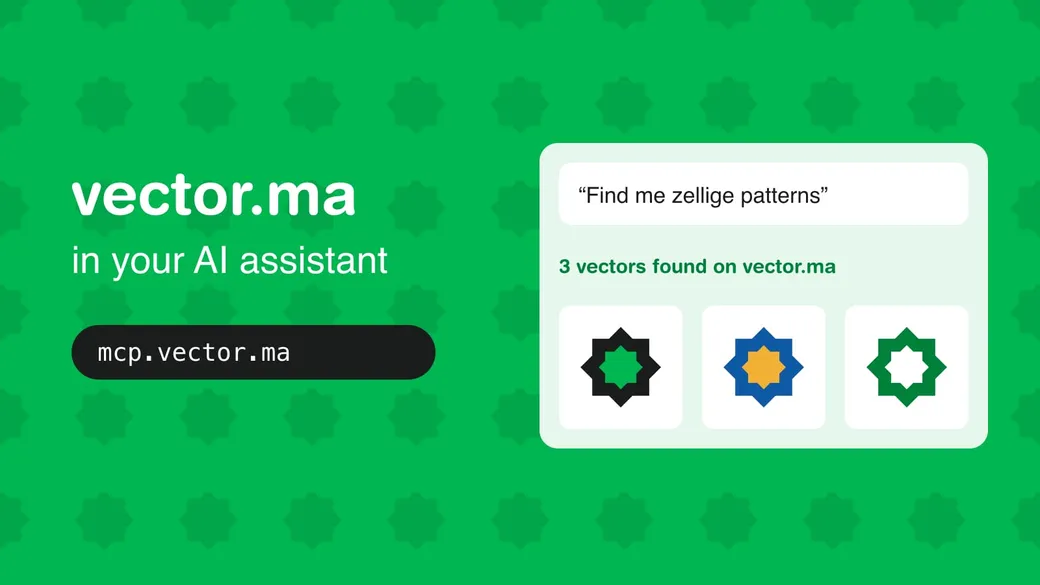
More and more people start a design task by typing into an AI assistant: “I need a logo idea for a café in Tangier”, “find me a Moroccan pattern for a Ramadan post”. Until now, the assistant answered from what it remembered of the web, or drew something itself. It knew nothing about the thousands of vectors that Moroccan designers have published on vector.ma.
That changes with mcp.vector.ma: vector.ma’s own server for AI assistants. Plug it into Claude or ChatGPT, and your assistant can search the vector.ma library, look at the vectors and read their SVG code, right in the conversation.
What is MCP?
MCP (Model Context Protocol) is an open standard that lets an AI assistant use outside tools. Think of it as a plug: a website publishes an MCP server, and any compatible assistant (Claude, ChatGPT, Claude Code and others) can connect to it and use what it offers.
Without MCP, an assistant can only guess. With vector.ma’s MCP server, it can ask vector.ma: “which vectors match zellige?”, “show me this one”, “what colors does this SVG use?”. The answers come from the real library, with a link to each vector’s page.
What your assistant can do with vector.ma
The server gives the assistant three tools:
- Search vectors: searches the library by name and returns the title and description of each match.
- Get vector PNG: shows the assistant a vector at 256, 512 or 1024 px, with its page link, so it can check it actually fits your request before suggesting it.
- Get vector SVG: gives the vector’s page link, where you download it. The assistant can also read the SVG code to describe or edit it.
The assistant only reads the library. It can’t upload, change or delete anything on vector.ma.
A few prompts to try:
- “Search vector.ma for zellige patterns and show me the 3 best.”
- “Find a Moroccan flag in vector and tell me its exact red and green.”
- “Get the SVG of this icon and change its color to Majorelle blue.”
- “I’m designing a menu for a riad in Fez: suggest vectors from vector.ma for the header and borders.”
Why it matters for Moroccan designers
Your work gets found where people now search
When someone asks an assistant for a Moroccan motif, the answer can now point to the vector you published, with a link to its page on vector.ma. Each design you upload is one more answer the assistant can give. The license still applies to every file it finds, and downloads go through vector.ma as on the site.
Real Moroccan designs, not generic AI images
Image generators are good at “Moroccan-style” pictures, and bad at the details Moroccans notice at once: a five-pointed star in the flag drawn the wrong way, Tifinagh letters that don’t exist, zellige stars that don’t close. Vectors on vector.ma are drawn by people who know these details. Through MCP, the assistant suggests their work instead of inventing a rough copy.
Clean SVG, ready to edit
An AI image is a flat picture. A vector from vector.ma is a real SVG: sharp at any size, with shapes and colors you can edit. Because the assistant can read the SVG code, it can help you with the next step too: list the colors, explain how the file is built, or change a color for your client’s brand. Then you finish the job in Illustrator, Inkscape or Figma.
Faster everyday work
Briefs, moodboards, social posts for Eid or the national team’s next match: much of a designer’s day is finding the right starting point. Asking your assistant, in French, English or Darija, is often faster than opening ten tabs. And it all happens in the tool you already use to write the brief or the client email.
Coming soon to Canva
A vector.ma app for Canva, built on the same sign-in, is under review by Canva. Once it is published, vectors made by Moroccan designers will also reach people who build their posts and flyers in Canva.
Step by step: connect and use mcp.vector.ma
Step 1: Get a Plus or Premium plan
The MCP server is included in the Plus and Premium plans. Sign in to vector.ma and check your plan in your profile. On the Free plan, the connection stops at the sign-in page with an offer to upgrade.
Step 2: Add vector.ma to your assistant
Every assistant uses the same address:
https://mcp.vector.maIn Claude (web, desktop or mobile):
- Open Settings, then Connectors.
- Click Add custom connector.
- Name it
vector.maand paste the address above. - Click Connect: a vector.ma page opens (step 3).
In ChatGPT:
- Open the settings and turn on developer mode.
- Create an app, name it
vector.maand paste the address above. - ChatGPT asks for an icon: download the vector.ma icon from the AI & MCP tab of your profile.
- Connect: a vector.ma page opens (step 3).
In Claude Code, run:
claude mcp add --transport http vector-ma https://mcp.vector.maThen type /mcp, choose vector-ma and sign in.
Other MCP clients that can’t sign in use an API key instead:
- Open the AI & MCP tab of your profile on vector.ma.
- Give the key a name you’ll recognize, such as Claude on my laptop, and click Create key.
- Copy the key right away: it is shown only once.
- Add it to your client’s MCP settings, sent as a header:
Authorization: Bearer vma_….
Step 3: Sign in and allow access
The vector.ma page asks: “Allow Claude to use your vector.ma account?” (or ChatGPT). It lists what the assistant will be able to do: search the library, see vector images, and get SVG source and PNG 1024 files, counted as downloads on your plan. Check that you are signed in with the right account, then click Allow. You’re back in your assistant, connected.
If you see “This connection request isn’t valid”, the request expired: start the connection again from your assistant.
Step 4: Search the library
Ask in plain words, in the language you like:
Search vector.ma for zellige patterns and show me the 3 best.
The assistant searches the library, looks at the results and answers with their titles and the links to their pages. Be specific to get better results: “a minimal argan tree icon” works better than “a tree”.
Step 5: Look at a vector before you choose
Show me the PNG of the second one at 512.
The assistant looks at the image itself and can describe it, compare it with the others, or tell you whether it fits your brief. Ask it to keep searching until you have the right one.
Step 6: Download the SVG
Give me the link to download the SVG.
Open the link: it’s the vector’s page on vector.ma, with the designer’s work and the download button. Download it as usual, with your plan’s daily downloads.
Step 7: Let the assistant read or edit the SVG
Get the SVG of this icon, list its colors, then change the green to Majorelle blue (#6050DC).
To do this, the assistant reads the SVG code, which counts as one SVG download against your plan’s daily limit (10 a day on Plus, unlimited on Premium), as on the site. It gives you back the edited code: save it as a .svg file and open it in Illustrator, Inkscape or Figma.
Step 8: Manage your connections
The AI & MCP tab of your profile lists your API keys and connected assistants, with the date each was last used. Click Revoke and that assistant loses access at once. If your plan ends, assistants lose access until you subscribe again. The full reference is on the About page.
Publish, and let the assistants find you
The library is only as rich as the designers who fill it. Every pattern, icon or logo you share on vector.ma can now be found from a website and from an AI chat, and soon from Canva. Upload your vectors and make Moroccan design the first answer, wherever people search.